
The Real Reason Departments Don’t Trust ERP Data
Why ERP reports conflict across Sales, Operations, Finance, and Supply Chain—and how to build ERP data accuracy, integration, governance, and reporting trust across your organization.
1. The Report Everyone Argues About
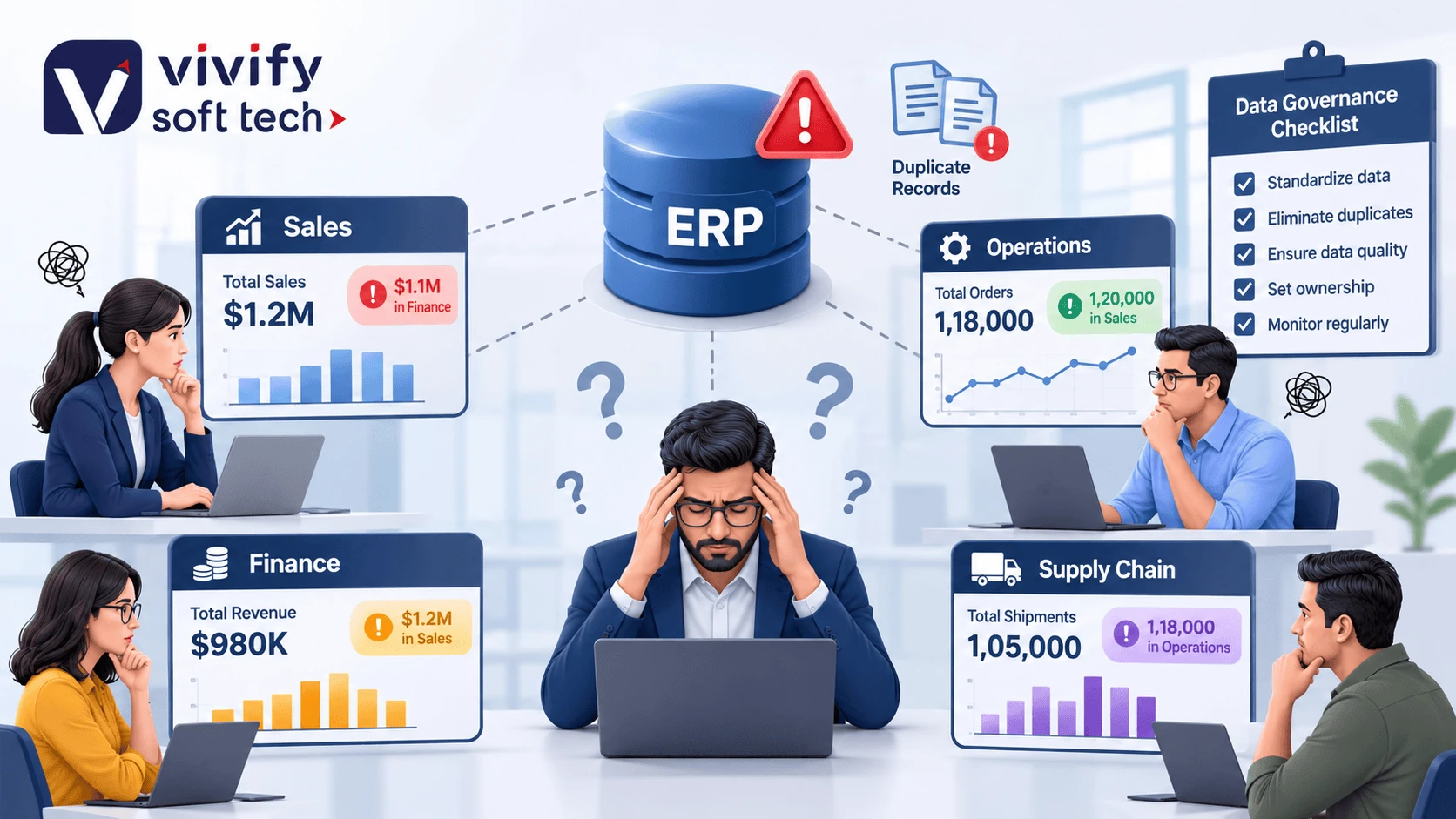
It is month-end. Leadership expects unified clarity, but cross-functional reports reveal stark contradictions across the business:
Orders counted as “confirmed” once a customer accepts a quote, before credit, inventory, or production capacity checks.
Material masters lack approved BOM specs, routing details are missing, and customer delivery rules are incomplete.
Strict revenue recognition rules, billing milestones, and currency valuations conflict with raw pipeline figures.
Vendor records created in silos across accounts payable and sourcing result in split price agreements and untracked discounts.
This is not usually because people are careless. It happens because ERP data accuracy depends on much more than the ERP software itself. It depends on how data is created, validated, synchronized, owned, and used across departments, systems, and locations.
2. What “ERP Data Accuracy” Really Means
ERP data accuracy means that the information in the ERP correctly represents the real business situation at the time it is needed.
In high-performing enterprises, accurate ERP records mirror physical and commercial reality across 5 core domains:
Customer & Commercial
Verified legal entity name, active tax/GST registration, validated credit limits, and delivery addresses.
Item & Material Master
Standardized part numbering, engineering specifications, unit of measure conversions, approved price lists, and real-time stock balances.
Supplier & Purchasing
Single approved vendor record, contracted purchase orders, physical goods receipt notes, QA inspection releases, and payment status.
Production & Shop Floor
Released production orders, validated work centers, verified machine runtime, scrap reason tallies, and confirmed finished goods.
Financial Reconciliations
Accurate general ledger postings, matched cost and profit centers, exchange rates, and synchronized accounting periods.
Accuracy is not only about whether a field is filled. It is about whether the data is complete, correct, timely, consistent, unique, and usable for the decision at hand.
3. Why Departments Stop Trusting ERP Data
Departments define the same data differently
Sales may count an order as “confirmed” once the customer accepts a quotation. Planning may consider it confirmed only after material availability and capacity checks. Finance may recognize it differently based on billing and revenue rules.
The ERP can store all these events, but if the business does not agree on definitions, each department creates its own interpretation.
This creates ERP data inconsistency: the same order, customer, product, or inventory position appears different depending on who is looking at it.
Master data is created in silos
A customer may be created by sales, a vendor by procurement, an item by engineering, and a cost center by finance. If each team uses its own naming convention, numbering logic, or approval process, the ERP becomes filled with near-duplicate records.
Common examples include:
- “ABC Industries,” “ABC Industries Pvt Ltd,” and “ABC Industries Pvt. Ltd.” existing as separate customers.
- The same material created with different descriptions, units, or specifications.
- A supplier created separately in purchasing and accounts payable.
- A customer address updated in CRM but not synchronized to ERP.
- A product discontinued by engineering but still active in sales and inventory.
These are common ERP data errors that directly affect quotations, purchase orders, production planning, invoicing, inventory valuation, and reporting.
Data is entered without validation
ERP systems can enforce rules, but many organizations allow free-text entries, incomplete records, outdated price lists, inconsistent units of measure, and manually keyed data.
When validation is weak, errors do not stay in one department. They travel through the business:
| Data error at entry | Downstream business impact |
|---|---|
| Wrong unit of measure | Incorrect purchasing quantity, stock valuation, and production planning |
| Duplicate customer record | Split credit history, duplicate invoices, inaccurate receivables |
| Incorrect BOM or routing | Wrong cost estimate, material shortage, production delays |
| Old price or tax code | Billing errors, margin erosion, compliance risk |
| Incorrect warehouse or location | Physical stock mismatch, delayed dispatch, excess inventory |
| Missing approval or owner | Unverified master data enters critical business processes |
Integrations sync data too late—or not at all
Many companies use ERP alongside CRM, MES, WMS, e-commerce, HR, quality, logistics, and analytics platforms. If these systems are not integrated properly, departments maintain separate records.
A salesperson may update a customer address in CRM, while the ERP still contains the old address. A warehouse may update stock in a spreadsheet or WMS, while ERP inventory remains unchanged until someone manually uploads it.
This is the core issue behind departmental data silos. Each system may be individually useful, but together they create conflicting versions of business reality.
Nobody owns the data
A common question in ERP reviews is: “Who is responsible for this field?” If the answer is “everyone” or “the IT team,” the answer is usually no one.
Data governance needs clear ownership. SAP describes data governance as the rules, policies, and responsibilities that determine how data is created, maintained, and used. It also emphasizes assigning ownership and common standards so data is interpreted consistently across systems and teams.
Without owners, errors remain unresolved. People create workarounds: local spreadsheets, personal reports, duplicate databases, and offline approvals.
Reporting hides the problem instead of solving it
When departments disagree, leaders often ask for another report or dashboard. But a dashboard cannot fix incorrect source data.
If the underlying customer master, item master, inventory transactions, production confirmations, or purchase orders are inconsistent, the report will only make the disagreement more visible.
ERP reporting accuracy depends on trusted inputs. A dashboard is only as reliable as the transactions, master data, integrations, and business rules behind it.
4. The Business Cost of Unreliable ERP Data
Unreliable ERP data is not an IT inconvenience. It affects daily operational decisions and financial performance across every function:
Planning and production
01Wrong stock, BOM, lead time, or capacity data leads to shortages, expediting, idle capacity, and missed delivery dates.
Procurement
02Duplicate vendors, inconsistent item masters, and incorrect prices create excess purchases, poor supplier decisions, and audit issues.
Sales and customer service
03Incorrect credit limits, delivery dates, stock positions, and order status damage customer trust.
Finance
04Mismatched invoices, purchase orders, receipts, and payments delay closing and weaken cash-flow visibility.
Inventory and logistics
05Inaccurate stock records create emergency purchases, write-offs, obsolete stock, and dispatch errors.
Leadership decisions
06Forecasts, margins, capacity plans, and working-capital decisions become unreliable when departments challenge the numbers.
IBM notes that poor data quality often appears downstream as delayed workflows, lower operational efficiency, compliance risks, and poor business outcomes—making the true cost easy to underestimate.
5. Why “Cleaning the Data Once” Fails
Many organizations respond to ERP data problems with a one-time cleanup project. It may help temporarily, but the problem usually returns. That is because the root cause is not only old or incorrect records—it is the process that allows bad data to enter and remain in the system.
A one-time cleanup does not solve:
SAP positions master data management as an ongoing discipline that combines governance, consolidation, and continuous quality management—not a one-time migration activity.
6. A Practical ERP Data-Integrity Framework
Organizations can improve ERP data integrity by treating data as a business asset with an operating model, not as a technical cleanup task.
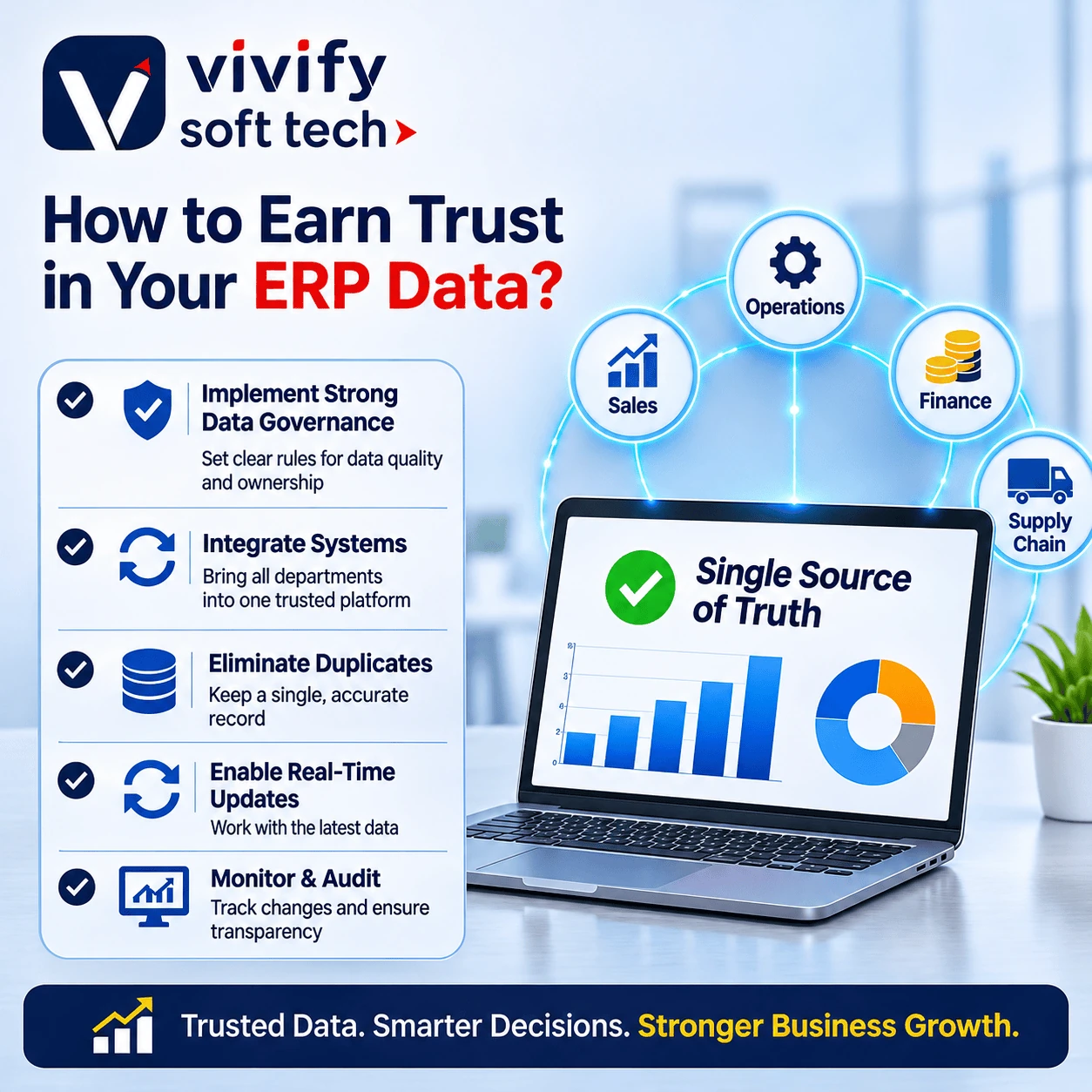
Duplicate records, inconsistent data, delayed updates, disconnected systems, and weak data governance are common reasons departments lose confidence in ERP information.
Identify decision-critical data
Start with the data that affects revenue, cost, delivery, compliance, and customer experience.
Priority domains usually include:
- Customer and vendor master data
- Item, material, product, and BOM data
- Inventory and warehouse data
- Purchase orders, sales orders, and contracts
- Production orders, routings, and work centers
- Cost centers, profit centers, and chart of accounts
- Supplier, logistics, and shipment data
Avoid trying to fix every field at once. Start where poor data creates the highest business impact.
Define one business meaning
Create a shared data dictionary that answers simple but important questions:
- What counts as an “open order”?
- When is inventory considered “available”?
- What is the approved customer master record?
- Who can change a price, credit limit, supplier bank detail, or BOM?
- Which system is the source of truth for each data domain?
This prevents departments from using the same word to mean different things.
Assign clear ownership
Every critical data domain needs:
- A business data owner.
- A data steward or custodian.
- Defined creation and change approvals.
- Documented quality rules.
- A process for resolving exceptions.
For example, procurement may own vendor master data, finance may approve banking and tax details, and operations may own work-center and routing data. The important point is that accountability is explicit.
Validate data at the point of entry
Build controls into the workflow before incorrect data reaches reports, production, procurement, or finance. Useful controls include:
- Mandatory fields and standardized formats.
- Duplicate checks for customers, vendors, materials, and assets.
- Approval workflows for high-impact changes.
- Validation against tax, credit, compliance, and business rules.
- Restrictions on free-text fields where structured values are needed.
- Audit trails for who changed what, when, and why.
SAP’s master-data governance approach uses change requests, validation rules, approvals, and controlled activation before data is distributed to connected systems.
Fix integration, not just reports
Review how ERP connects with CRM, MES, WMS, e-commerce, logistics, banking, and analytics systems. Ask:
- Which system is the master for each data domain?
- Does data flow in both directions where needed?
- Are updates synchronized in near real time or only in batch?
- Are failed integrations monitored and retried?
- Is there a reconciliation process between systems?
- Can teams trace an error back to its source?
Reliable ERP system integration is essential for cross-department data synchronization and real-time ERP data visibility.
Monitor data quality continuously
Create a small set of business-relevant data-quality measures, such as:
| Measure | Example target |
|---|---|
| Duplicate customer/vendor records | Below an agreed threshold, with a remediation queue |
| Incomplete critical fields | Measured weekly by data domain |
| Stock accuracy | Physical-versus-system variance trend |
| Integration failures | Failed records identified and resolved within SLA |
| Master-data change cycle time | Time from request to approved activation |
| Report reconciliation exceptions | Number of finance-versus-operations mismatches |
The goal is not perfect data. The goal is to detect, prioritize, and correct issues before they disrupt operations or decisions.
7. What Good ERP Data Management Looks Like
A trustworthy ERP environment does not require every department to enter data identically. It requires agreed rules about who creates data, who approves it, how it is validated, where it is synchronized, and how exceptions are handled.
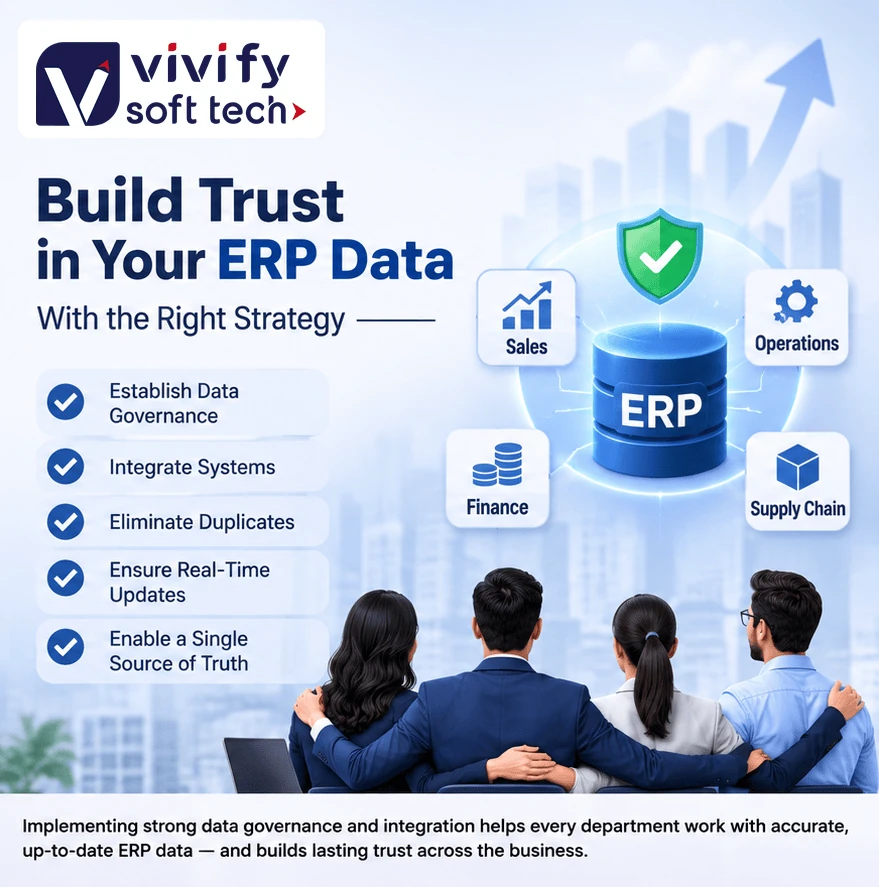
Strong data governance, system integration, automated validation, and real-time updates help Sales, Operations, Finance, and Supply Chain work with one reliable source of truth.
In practice, this means:
This is the foundation of dependable ERP data management, better ERP reporting accuracy, and more confident decision-making.
8. Where Vivify Soft Tech Fits In
Vivify Soft Tech helps organizations address the operational and technical causes of ERP data distrust—not just the symptoms on a dashboard.
As an AI-first enterprise technology company based in Chennai, Vivify can support organizations with ERP and hyperautomation, custom software and SaaS development, system integration, workflow automation, Industrial IoT, cloud services, DevOps, cybersecurity, and AI business solutions.
A practical starting point is an ERP Data-Integrity Audit. It can help identify:
- Duplicate or inconsistent master data.
- Departmental data silos.
- Integration gaps between ERP, CRM, MES, WMS, and analytics systems.
- Weak validation and approval controls.
- Reporting mismatches between finance, sales, operations, and supply chain.
- Data-quality rules and governance gaps.
- Opportunities for automation and real-time visibility.
Vivify Soft Tech can work with business and IT teams to design the data model, integration architecture, validation rules, dashboards, and governance process needed to make ERP data dependable.
9. Frequently Asked Questions (FAQs)
ERP data accuracy means the information in an ERP system correctly reflects the real business situation. It includes correct customer, supplier, item, inventory, order, production, financial, and cost data.
Talk With an ERP Architect
Call +91 7305 7305 28 or connect with our Chennai engineering team to align ERP, CRM, MES, and WMS workflows.
Schedule Consultation