
Why Your Stamping Line Loses 10–20% Capacity to Micro-Stops and How to See Them
Your stamping press stops for a few seconds. An operator clears a misfeed, resets a sensor, or removes scrap, and production starts again. It seems too minor to record.
But if it happens dozens of times per shift, those brief interruptions add up. Manual logs often miss them, leaving production teams with an incomplete picture of where capacity is going. Automated machine data can reveal stop patterns that people cannot reliably capture by hand. thefabricator

What is a micro-stop?
A micro-stop is a short, unplanned interruption that is cleared quickly - often without a maintenance call or formal downtime report. There is no single time limit used by every plant: some define micro-stops as lasting seconds, while others include stoppages of up to five minutes. The important point is to set a clear, consistent threshold for your own line. ptzp.org
On a stamping line, possible examples include:
These are examples to investigate, not proof of a particular fault. The right explanation depends on the press, feeder, die, material, and controls.
Why small stops can hide a big loss
A short stop rarely feels like a major production problem. The operator gets the line running again and moves on. But the time lost accumulates across repeated events. For example, one minute lost 30 times in a shift adds up to 30 minutes. If the press is a bottleneck, that lost time can also affect the flow of parts to later operations.
The headline figure of 10–20% should be treated as a warning sign, not a guaranteed result for every plant. A study of three machines in an aluminium extrusion process found that including micro-stoppages reduced OEE by about 3–6% for the machines studied. That research shows the loss can matter; it does not establish a universal stamping-line benchmark. ptzp.org
Why manual logs miss them
Manual logs are useful for recording major breakdowns and planned events. They are less suited to capturing many brief stops while production is moving. An operator may restart the press before there is time to open a log, select a reason, and enter the stop duration. The event may then be forgotten or grouped under a broad label such as “minor delay.” Press-monitoring guidance also notes that manually collected data can be late, inaccurate, or inconsistent, while press controls may already track machine running status and cycle counts. thefabricator
That means a shift report can show a line that appears to be running well even when it repeatedly pauses or runs below its intended cycle rate.
How automated capture makes stops visible
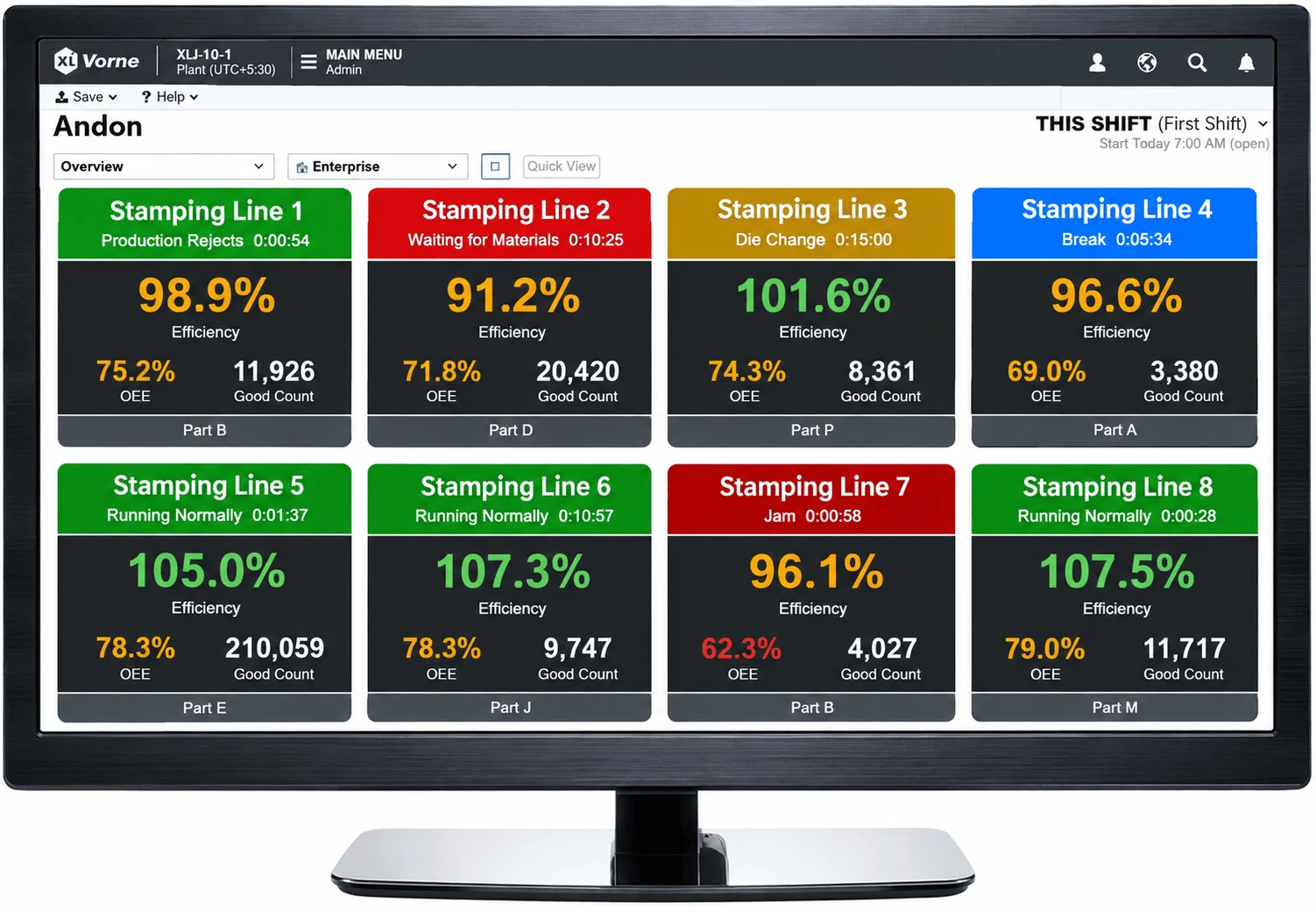
Automated capture records machine activity as it happens, rather than relying on someone to remember each event. Depending on your equipment and setup, this can use press-control signals, cycle counts, or other machine-state data. The key is to capture short interruptions consistently and define what counts as a stop.
A useful system should help your team see:
Automatic detection tells you that a stop occurred. It may not tell you why. A controller can sometimes record a specific alarm - such as a die-protection or tonnage fault - but an operator-initiated stop may still need a short cause label. thefabricator
From a stop list to a fix
More data alone will not improve output. The goal is to turn the recorded events into a short list of actions.
Agree on the definition
Set a minimum duration for capture and a consistent boundary between short stops and longer downtime.
Record a baseline
Capture events before making changes so your team can compare like with like.
Rank the losses
Sort by total lost time as well as by event count. A frequent one-minute stop and a rare longer stop may deserve different responses.
Confirm the causes
Review event timing, press alarms, die conditions, material, and operator observations. Keep “unknown” as a valid category rather than guessing.
Try a focused countermeasure
Address the leading confirmed cause, then check whether the stop pattern changes.
A published study used Pareto analysis to identify the micro-stop causes with the greatest combined impact. It also found that the leading causes differed between the machines studied - one reason to measure your own line instead of assuming the cause. ptzp.org

Turning micro-stop data into measurable improvements.
Pareto analysis highlights the stop causes with the greatest cumulative capacity loss. Addressing the leading confirmed cause at the press ensures teams solve root issues rather than treating symptoms.
What to check on a stamping line
Once you can see the pattern, investigate it with the people who know the equipment. Depending on the evidence, the team might check:
Press-monitoring guidance describes using machine data to identify patterns such as fault stops and to inform decisions about downtime, staffing, or equipment investment. thefabricator
Do not treat every stop as an operator problem. A recurring stop may point to a process, tooling, material, control, or maintenance issue. Follow your site’s safety procedures, and have qualified personnel investigate press or die faults.